Big work, clearly planned
Workspaces for every team you are on, milestones that say when, a roadmap you can drag, and a health signal that warns you before a deadline does.
Shared workspaces
A personal space plus one for every team, family or group you work with. Everyone sees the same projects, live.
Initiatives and milestones
Group projects under the outcome they serve, and mark the dates that matter on the way.
A roadmap you can drag
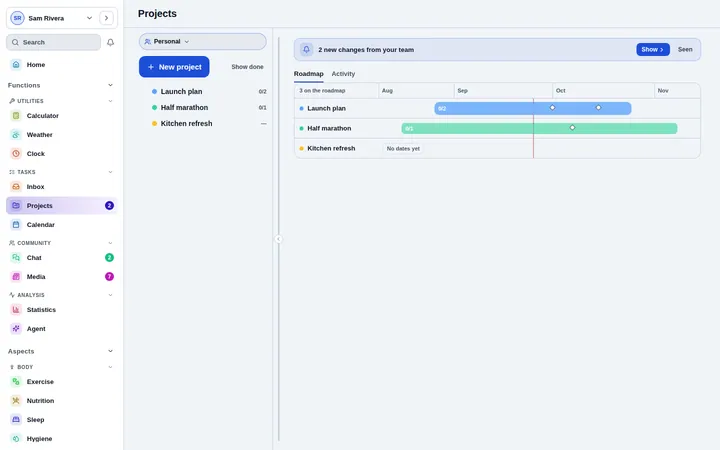
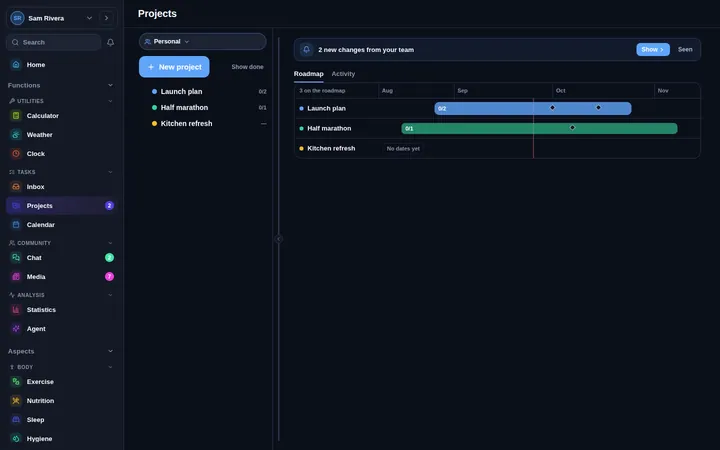
See every project on a timeline and drag its span to reschedule. Dates update everywhere at once.
Health at a glance
Each project says on track, at risk or off track, so trouble shows up in the overview, not in the meeting.
Tasks that go deep
Subtasks, assignees, priorities and due dates, with the task tree folding away what you do not need.
Views that fit the question
Group by status, person, project or due date, filter to today, this week, overdue or unassigned, and save the view.
From the big picture to the next step
Start with the roadmap to see the quarter, open a project for its milestones and team, and drop into the task tree for today’s work. Everything links up, so a date moved in one place moves in all of them.
- Timeline with draggable project spans
- Milestones with dates and owners
- Team panel showing who is on what
Know what changed without asking
The activity feed shows every change since you last looked, and a banner offers the new changes the moment teammates make them. Assignments and mentions arrive as notifications.
- Activity feed with unread changes
- Notifications for assignments and mentions
- Send any task to a chat in one tap
Questions about Projects
Can I use Projects alone?
Yes. Everyone starts with a personal workspace, and projects there are private to you. Add a shared workspace when you want to plan with other people.
How do teammates join?
Invite them to a workspace by email or with an invite link. They see the workspace’s projects as soon as they join.
Does it work offline?
Yes. Changes made offline are kept on your device and sync when you reconnect.
Start today. It is free.
No card and no trial clock. Everything is free while the app is in early access.